SureFeed Microchip Feeder Troubleshooting
For SureFeed microchip pet feeder troubleshooting, check the batteries, registered pet ID or collar tag, and training mode first. Keep the feeder clear and follow its manual before contacting support.
On this page (7 sections)
- Why won't the SureFeed recognize my cat?
- What should I check if the lid won't open or close?
- Why is my cat's microchip not working with the feeder?
- Why does another pet still get to the food?
- Why is food going stale or getting messy?
- When should I stop troubleshooting and ask for help?
- Which fix should you try first?
For SureFeed microchip pet feeder troubleshooting, check power, pet registration, and the lid's opening area first. The feeder should open for its assigned pet's registered microchip or RFID collar tag; a setup issue or low batteries can interrupt that routine.
Try one change at a time, then let your cat approach in its usual way. Keep other pets back while you check recognition so it's clear which animal the feeder is responding to.
Why won't the SureFeed recognize my cat?
The SureFeed recognizes a pet after its microchip or RFID collar tag is assigned to the feeder. It supports 9 digit Avid Secure, 10 digit FDXA, and 15 digit FDXB microchip numbers.
Check that you programmed the intended pet and used the feeder's one button setup as described in its manual. If you're unsure of the microchip number, ask your veterinarian, shelter, or rescue.
The feeder also works with an RFID collar tag, and one tag is included. Check that the tag is on your cat's collar and close enough to the feeder when the cat approaches.
If you have several pets, test with them one at a time. The unit can store 32 IDs, but the supplied description recommends one feeder per pet.
See our SureFeed Microchip Pet Feeder review for a closer look at the feeder's features. If your main concern is food getting stuck in a different feeder, read why an automatic cat feeder gets jammed.
What should I check if the lid won't open or close?
The lid responds to a registered pet approaching and moving away, so first check recognition and power. Keep the space around the feeder clear and place it where your cat can approach without another pet blocking the bowl.
The SureFeed uses 4 C batteries. Check that they are installed as described in the manual and replace them if needed, taking care to use the battery type and orientation shown there.
Don't force the lid by hand or take the feeder apart. If it still doesn't respond after you check the batteries and programming, refer to the manual or contact Sure Petcare support.
Can training mode help a timid cat?
Yes, the feeder has a training mode that closes the lid in stages to help a timid cat get used to its movement. Follow the manual's instructions and give your cat time to approach without pressure.
Start with the steps recommended for your cat's comfort. If your cat avoids the bowl, don't rush the training or leave food inaccessible; use another safe feeding arrangement while you work through the routine.
Why is my cat's microchip not working with the feeder?
A microchip number may be entered incorrectly, or the chip may not be one of the supported types. Confirm the number with your veterinarian, shelter, or rescue, then compare it with the supported formats before programming again.
If the number appears compatible but the feeder still doesn't recognize your cat, try the included RFID collar tag as an alternative. Make sure it is attached securely and your cat can approach the bowl comfortably.
A collar tag may not suit every cat. If the tag is a poor fit or your cat won't wear a collar, ask your veterinarian about the best next step.
Why does another pet still get to the food?
The SureFeed is designed to open for an assigned pet, but placement and approach can affect how feeding goes in a multi-pet home. Keep the feeder in a spot where the intended pet can reach it without another animal crowding the opening.
Check that the other pet isn't eating while the assigned pet's feeder is open. A separate feeding area or supervision may help you see whether the feeder is opening for the right animal and when the food is being taken.
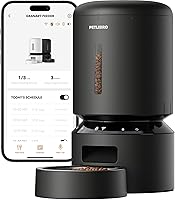
The PETLIBRO RFID Automatic Cat Feeder uses its provided collar tag, and its app tracks eating habits and portion sizes. Consider it if you want app records alongside selective access, and check that a collar tag works for each cat in your home.
For a broader look at feeding choices, see automatic pet feeders for cats and dogs. Our guide to choosing an automatic pet feeder can help you compare feeding needs and setup.
Why is food going stale or getting messy?
The SureFeed lid closes against a neoprene lip to help retain moisture and keep food fresher longer. The feeder holds 13.5 fl. oz of wet or dry food, so check that the portion fits within the bowl and doesn't obstruct the lid.
Remove leftover food and clean the bowl and mat following the manual. The included set has a single bowl, a split bowl, and a mat, so check that each piece is positioned correctly.
The HoneyGuaridan RFID feeder is another option for tag based access, with app schedules and records of which cat ate, when, and for how long. Its included tag can be paired with up to two tags, according to the product information.
Choose a feeder around the feeding issue you need to solve. For help comparing different designs, visit our cat feeding guides.
When should I stop troubleshooting and ask for help?
Contact Sure Petcare if the feeder still won't recognize a correctly programmed pet, the lid fails after you check its batteries and setup, or any part looks damaged. Keep the model number, MPF001, and describe the checks you've already tried.
Don't open the unit or make electrical repairs yourself. Follow the manual's care and safety directions while you wait for support.
Which fix should you try first?
For SureFeed microchip pet feeder troubleshooting, start with batteries and registration, then check approach and training. Confirm the microchip format or use the included RFID collar tag, and allow a timid cat to adjust through the feeder's staged training mode.
If selective access is the priority, the SureFeed is designed to open for a registered pet. If you want app based eating records, compare the PETLIBRO or HoneyGuaridan options above, then review how to choose an automatic pet feeder for the features that fit your household.
Frequently asked questions
Why won't my SureFeed feeder recognize my cat?
Check that the feeder has power and that your cat's microchip or supplied RFID collar tag was registered to the unit. The SureFeed supports 9 digit Avid Secure, 10 digit FDXA, and 15 digit FDXB microchip numbers.
If you don't know the chip number, ask your veterinarian, shelter, or rescue.
Why does the SureFeed lid not open?
The lid opens for the assigned pet's registered microchip or RFID collar tag as that pet approaches. Confirm the correct pet was programmed, then check the batteries and keep the feeder's opening area clear.
If your cat is still learning, use the staged training mode described in the manual.
Can I use the SureFeed feeder with wet food?
Yes, the SureFeed holds wet or dry food, and its lid closes against a neoprene lip to help retain moisture. Clean the bowl and surrounding area as directed in the manual, and replace food based on your normal food safety routine rather than leaving it out indefinitely.
When should I contact Sure Petcare support?
Contact Sure Petcare if the feeder still fails to recognize a correctly registered pet, the lid does not respond after you check power and programming, or a part appears damaged. Keep the model information and a brief description of the problem handy, and follow the manual's troubleshooting steps.