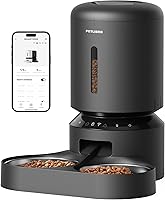
How to Reset a PETLIBRO RFID Feeder
To reset a PETLIBRO RFID feeder, unplug it for about 30 seconds, plug it back in, then reopen the app and re-pair the collar tag so the lid recognizes your cat again. That cycle clears most lid and pairing problems.
On this page (10 sections)
- What does resetting a PETLIBRO RFID feeder actually do?
- How do you reset a PETLIBRO RFID feeder step by step?
- Why won't the lid open for your cat after a reset?
- How do you re-pair the collar tag in the app?
- When should you use the reset button instead of the app?
- How do you confirm the feeder is working after a reset?
- Which PETLIBRO RFID feeder fits your reset plan?
- What else should you check when a reset doesn't fix the lid?
- How does this reset differ from resetting a standard PETLIBRO feeder?
- What's the takeaway for resetting a PETLIBRO RFID feeder?
To reset a PETLIBRO RFID feeder, unplug the unit for about 30 seconds, plug it back in, then reopen the app and re-pair the collar tag so the lid recognizes your cat again. That cycle clears most stuck-lid and missed-tag problems, and it takes less time than reading through a support thread.
The RFID lid is the part that misbehaves most often. When it stops opening for the right cat, the fix is usually a clean restart and a fresh tag pairing, not a repair.
Here's the process in order, plus what to do when a reset doesn't stick.
What does resetting a PETLIBRO RFID feeder actually do?
A reset restarts the feeder's electronics and clears a stuck lid state, so the motor and sensor start fresh. It doesn't erase your cat's identity from the collar tag, but it can interrupt the pairing until you reconnect.
The RFID feeder opens its bowl lid when the paired collar tag comes close. If the feeder loses Wi-Fi or the lid jams mid-cycle, the logic can hold the last command.
A power cycle wipes that temporary state.
Your saved meals and portions live in the app, so the schedule usually survives. Re-pairing the tag is the part that matters after a reset, because the lid only opens for the tag it recognizes as the assigned one.
How do you reset a PETLIBRO RFID feeder step by step?
Unplug the feeder, wait 30 seconds, plug it back in, then re-pair the tag in the app. Do this with the feeder on its normal surface and the cat out of the room.
- Unplug the power adapter from the wall and the feeder. If a backup battery is fitted, switch the unit off so the electronics fully drain.
- Wait about 30 seconds. This lets the lid motor and sensor power down completely.
- Plug the feeder back in and let it finish its startup cycle before touching the app.
- Open the PETLIBRO app, find the feeder, and remove the old tag pairing.
- Pair the collar tag again, holding it near the sensor as the app prompts.
- Test with the assigned cat only, and watch that the lid opens and closes cleanly.
Keep the feeder online through dual-band Wi-Fi (2.4 and 5 GHz) so the app can push the pairing change. A weak signal is a common reason a reset looks like it failed.
Why won't the lid open for your cat after a reset?
The lid stays shut when the feeder no longer has the right tag paired, or when the tag's fit is off. Check the tag first, then the app pairing.
The RFID feeder only supports the collar tag that comes with it. A microchip won't open this lid.
Each feeder pairs with one tag, so a tag already assigned elsewhere won't work here.
If the cat wears the tag loosely and it slides under the chin or behind the neck, the sensor may not read it. Tighten the collar so the tag sits at the front of the throat, and check that the snap release hasn't opened.
The app's diet tracking shows whether the feeder logs a cat at the bowl. No log entry means the tag isn't being read, not that the meal was skipped.
How do you re-pair the collar tag in the app?
Open the feeder in the PETLIBRO app, clear the old tag, and add the new one while the tag is close to the sensor. Pairing is a two-minute job when the feeder is online.
Go to the feeder's settings, find the tag or pet section, and remove the current assignment. Then start the add-tag step and hold the collar near the feeder's reader until the app confirms it.
Each feeder takes one tag. In a two-cat home, give each cat its own tag and pair each one to its own feeder.
Swapping tags sends the wrong cat to the wrong bowl.
After pairing, set the lid speed to suit your cat. A slower lid gives a cautious cat time to step in before it closes.
When should you use the reset button instead of the app?
Use the physical reset or pairing button only when the app can't reach the feeder or the Wi-Fi setup has failed. The app route is safer because it leaves your schedule alone.
The button usually starts pairing mode with a short press. A longer hold may clear network settings, so follow the sequence in the setup guide rather than guessing.
If you've changed routers or moved the feeder, a button reset plus a fresh Wi-Fi join is the clean way back. Reconnect on 2.4 GHz if 5 GHz keeps dropping at that spot in the house.
After any button reset, reopen the app and confirm the feeder shows online. Then re-pair the tag and check that the meals are still listed.
How do you confirm the feeder is working after a reset?
Watch one full feeding cycle with only the assigned cat in the room. The lid should open when that cat approaches and stay shut for the others.
Run a manual feed from the app and listen for the dispenser to turn. Then let the assigned cat eat while a second cat waits nearby; the lid should not lift for the second cat.
Check the app's feeding log for the portion size and time. A logged meal confirms the tag and the lid are both working.
Finally, check the food level and the desiccant. A low-food alert or a stale desiccant bag can look like a feeding fault when the feeder is actually fine.
Which PETLIBRO RFID feeder fits your reset plan?
Both RFID feeders share a model number and a reset routine, so pick by the extras you want. Both take the same collar tag.
PETLIBRO RFID Automatic Cat Feeder with diet tracking
This feeder pairs each cat's collar tag to a shielded bowl, so the right cat gets the right food. Its app tracks portions per cat and sends low-food alerts, and dual-band Wi-Fi keeps the pairing reachable from your phone.
The 3 L hopper holds about two weeks of kibble for one cat, and backup battery power keeps meals going through an outage. Choose it if you want app tracking and a steady connection for resets and schedule edits.
PETLIBRO RFID Automatic Cat Feeder with 5-layer freshness
This version adds a sealed lid, silicone gaskets, a desiccant bag, and an airtight rotor around the RFID bowl. The app still handles scheduling and per-cat logs, with 10 meals a day and up to 48 portions each.
Pick it if kibble goes stale quickly in your kitchen or you feed a prescription dry food that needs to stay crisp. The removable stainless bowl makes cleanup easier between resets and refills.
PETLIBRO Upgraded RFID Collar Tag for One
A spare or replacement tag solves the reset that won't stick. This tag works only with the RFID feeder and the matching PETLIBRO fountain, and it doesn't read microchips.
The snap release opens under about 6.6 lb of force, and the no-cinch strap holds the fit so the tag stays at the throat where the sensor reads it. Each feeder needs its own tag.
What else should you check when a reset doesn't fix the lid?
Rule out power, Wi-Fi, and the tag before assuming the feeder is broken. Most repeat problems trace back to one of those three.
Check that the adapter is fully seated and that the backup batteries aren't dead. A feeder on weak battery power can drop the lid mid-cycle.
Move the feeder closer to the router if the app keeps showing it offline.
Inspect the bowl area for kibble caught under the lid arm. A crumb in the hinge stops the lid from closing fully, which can look like a failed pairing.
Wipe the bowl and the lid edge, then run a manual feed.
If the tag is old and worn, a replacement tag is cheaper than a new feeder. For a two-cat household, our guide to the best automatic cat feeder for 2 cats covers how tag-based feeders compare.
Readers weighing a different brand can read the SureFeed microchip feeder review, and anyone worried about feeder effects on behavior can check are automatic feeders bad for cats.
How does this reset differ from resetting a standard PETLIBRO feeder?
A standard PETLIBRO feeder reset clears the schedule and Wi-Fi, while an RFID reset mostly re-establishes the tag pairing. The RFID lid adds a step the plain feeder doesn't have.
On a non-RFID unit, the reset routine focuses on the dispenser motor and the app schedule. On the RFID model, the collar tag is the extra piece that has to match the bowl after every reset.
If you own both kinds, don't mix up the steps. Start with the how to reset petlibro automatic cat feeder walkthrough for the standard model, then come back here for the tag pairing.
What's the takeaway for resetting a PETLIBRO RFID feeder?
For most owners, a 30-second power cycle plus a fresh tag pairing is the whole fix. Start with the app, since it leaves your meals intact.
Save the button reset for when the feeder won't connect at all, and keep the tag snug at the throat so the sensor reads it. If the lid still ignores a known-good tag after pairing, replace the tag before replacing the feeder.
Frequently asked questions
Does resetting erase my feeding schedule?
A power cycle restarts the feeder without wiping the meals you set in the app. Re-pairing a tag only changes which collar opens the lid, so check the schedule screen after the reset and re-enter meals if the app shows them missing.
Why does the lid open for the wrong cat?
The feeder opens for the tag it has paired, and each feeder pairs with only one collar tag. If two cats share one tag or a tag was paired twice, the lid can't tell them apart.
Pair one unique tag to each feeder and remove duplicate pairings in the app.
How many times should I press the reset button?
Follow the button sequence in your feeder's setup guide, and don't hold it longer than that guide says. A short press usually starts pairing mode; a long hold may clear settings.
When in doubt, use the app's unpair option first, then the button.
What if the feeder still won't recognize the tag after a reset?
Check the tag's fit, then pair it again slowly with the feeder close by. If the lid still ignores the tag, the tag itself may be the problem, and a fresh tag is the simplest next step before you contact PETLIBRO support.